




What are climate devices?
Los dispositivos climáticos son importantes para las personas que se enfrentan a un clima muy frío o muy caluroso, o a una electricidad poco fiable. They help keep you healthy, safe, comfortable and secure.
You can learn below about who can get climate devices, what devices are offered and how to ask for one.
¿Qué tipos de dispositivos climáticos están disponibles?
- Aires acondicionados
- Unidades de filtración de aire y/o filtros
- Mini refrigerators
- Calentadores
- Fuentes de alimentación portátiles
Se pueden reunir los requisitos para un dispositivo cada tres años. You are allowed one replacement device in that time frame if yours stops working.
Proceso y cronograma
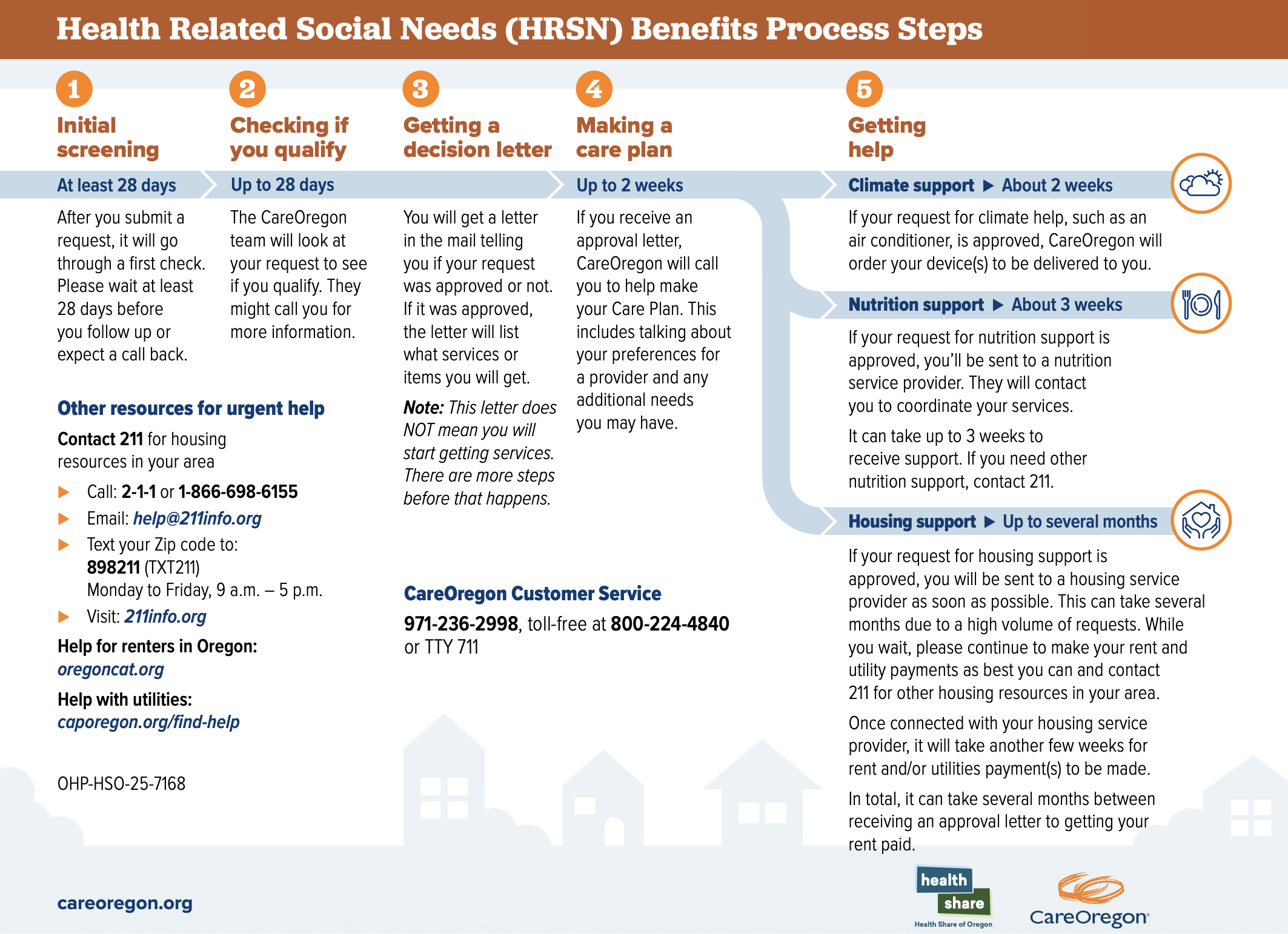
Health Related Social Needs (HRSN) Benefits Process Steps
This document explains the steps and process that happens when you apply for HRSN benefits.
Can I get a climate device?
Para reunir los requisitos para un dispositivo climático, se deben cumplir las siguientes tres condiciones:
- You must be a current CareOregon member
- You are not able to get the item/service through any other benefit or means, and
- The item or service must help with your medical need or life situation
Not all requested items or services are approved. Our team looks at each individual request and decides.
Please review our Social Needs Assistance Guidelines for more information about qualifying medical conditions and life situations, and the commonly funded supports for each.
Pautas de la asistencia para necesidades sociales
This guide helps members understand what is needed to get supports from our Social Needs Assistance programs and benefits.
¿Cómo solicito un dispositivo climático?
If you have met the criteria listed above and want to ask for a climate device, simply click the button below to fill out the secure Digital Climate Device request form.
You can also download and fill out the Climate Device Request Form (PDF) and send it to CareOregon Customer Service by one of the following:
- Email: hrsncx@careoregon.org
- Fax: 503-416-1376
- Portal para miembros
You can fill out either form yourself, or with the help of a parent, a caregiver, trusted friend, guardian or a staff member from an organization or clinic.
If you have questions or would like help filling out the request form(s), call CareOregon Customer Service. Press option 1 for “member,” then option 6 for “social needs.”
Los documentos relacionados con su solicitud deberán cargarse con antelación. Documentation can be emailed to hrsncx@careoregon.org or uploaded to the member portal.
Uploading documents using the member portal
- Vaya al centro de mensajes y haga clic en "Nuevo mensaje".
- Haga clic en "Agregar destinatarios" y seleccione "Solicitudes de servicios relacionados con la salud" (HRSN, por sus siglas en inglés).
- Add “HRSN” in the subject line and attach the file(s) to the message using the attach file feature
- Agregue cualquier otro dato de contexto y haga clic en "Enviar".